If
you are trying to create an
account at Pokerstars we have
included this page here to
help you do so as quickly
as possible. Below are four
very easy steps for new players
to download
Pokerstars and
open a new player account
for both real and play money.
We have also included the
bonus information that you
will be able to enter upon
signup to make sure that you
receive the maximum bonus
currently available at Pokerstars.com
Minimum system requirements
for Pokerstars download includes;
- Windows 95, Windows 98, Windows
ME, Windows NT 4 , Windows
2000, Windows XP, Windows
Vista or Mac OS X 10.4.10
or later
- 64 MB RAM (Windows
95, Windows 98, Windows
ME)
- 20MB of free disk
space for download
PokerStars
Download Guide
Step
1 – Before
you can create a new account
you will need to download
the Pokerstars software
since they don’t offer
an instant play client as
of yet. You
can download Pokerstars
here. You will
not leave this page since
we have created this link
to open in a new window
so you can continue to read
the instructions. Mac players
are also available to play
at Pokerstars and can download
the poker room from this
link.
Step
2 – Once the Pokerstars.com
software has been downloaded
you will be able to open and
run the file, which will then
install the software on your
computer. This process should
only tale a couple of minutes
at most.
Step
3 – After the
software has completed the
installation process the
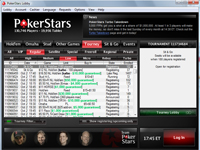
lobby should open almost
immediately. From here you
can either have a look around
and watch a few games or
open a new player account.
The poker room will ask you
to fill in your personal details
as well as ask you to choose
a new username. Players can
only select their screen names
once.
Step
4 –Pokerstars
will then ask you for a
marketing code. The current Pokerstars
marketing code is pbs500.
Enter that code in the field
provided and it will lock
in a $600 bonus for when you
decide to make your first
deposit. This is the maximum
bonus Poker Stars is currently
offering.
|